
1. Home
  2. Download

Android · direct APK

Download The Paglu App The Right Way

A complete, honest install walkthrough for the Paglu latest APK — including the Android permission prompt you will see, why it appears, and how to close it again afterwards. Around two minutes end to end on a normal connection.

Paglu Game app icon
Paglu Game  Android 8.0+ · ~120–180 MB
  • Official source only
  • ~2 minute install
  • Updates over the top
  • 24/7 install help
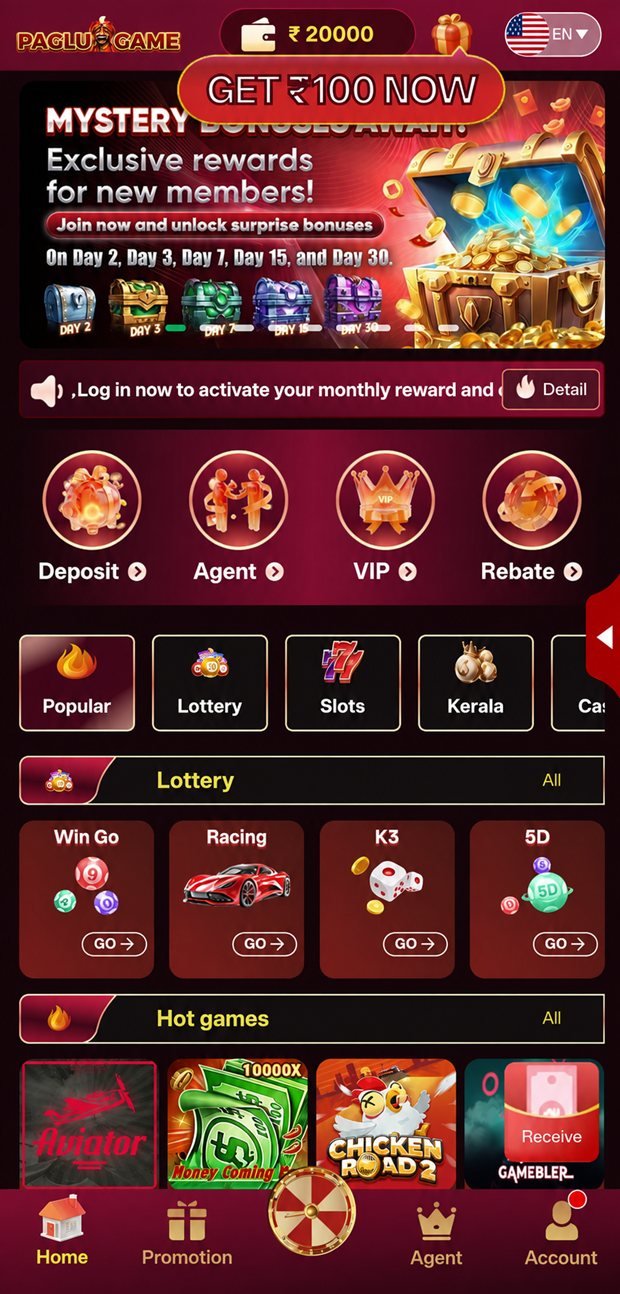
The Paglu Game app running on an Android phone, showing the main lobby after installation
v4.2Latest build
8.0+Android
~160 MBInstalled
₹10,000Welcome pack
Platform Android 8.0+
Install size ~120–180 MB
Distribution Direct APK
Price Free to install
Games included 105 titles
Currency Indian Rupee ₹
Languages English · Hindi
Support Telegram 24/7

Step by step

The Full Install Walkthrough

Five steps. The only one that differs from a normal store install is step two, and it is a one-time permission you can switch straight back off afterwards.

01

Open the official download link

Tap the Download Now button on this page. It opens the partner platform's official download page, which serves the current Paglu latest APK directly. Let the file finish downloading completely — Android will show it in your notification shade and in your Downloads folder.

Do not source the file anywhere else. An APK from a mirror site, a forwarded chat message or an unfamiliar search result may have been repackaged. If it did not come from the official link, delete it.

02

Allow the one-time install permission

When you open the downloaded file, Android will say your browser is not allowed to install unknown apps and offer a Settings shortcut. Tap it, switch on "Allow from this source", then go back. This grants the permission to that one browser only — not to your whole phone.

On most builds the path is Settings → Apps → Special app access → Install unknown apps. Wording varies slightly by manufacturer (Xiaomi, Samsung, Realme and Vivo each phrase it a little differently) but the setting is the same one.

03

Install and open

Tap Install and wait — it is normally 20 to 40 seconds. When it finishes, open the app. The first launch downloads and caches game assets, so give it a moment on a stable connection rather than on a weak signal.

Seeing a parse error? That means the download was incomplete or corrupted. Delete the file and download it again — it is not a problem with your phone.

04

Register and verify your account

Sign up with your mobile number and confirm the OTP. Choose a strong password you do not use anywhere else — especially not the one on your email or your bank. Complete the account verification steps properly now rather than later: verification is what unlocks the joining reward and, more importantly, what your first withdrawal will depend on.

Never share an OTP with anyone. No legitimate support agent, on any platform, will ever ask you for one.

05

Claim the welcome package, then start small

Open the promotions panel and read the conditions on each component of the ₹10,000 welcome structure before you claim. Then pick a category and start at the minimum stake until you know how the game behaves. There is no advantage to opening at a high stake, and a great deal of downside.

Optional but sensible: once installed, go back into Install unknown apps and switch the browser permission off again.

Compatibility

System Requirements & Permissions

What the app needs from your phone, and — just as importantly — what it asks for and why. An app that requests permissions it has no use for is telling you something.

Minimum & recommended

Minimum and recommended device specifications for the Paglu Game app
RequirementMinimumRecommended
Android version8.0 (Oreo)11 or newer
RAM2 GB4 GB or more
Free storage250 MB500 MB
ConnectionStable 4GWi-Fi or 5G
Screen720 × 12801080 × 2340 or higher
ProcessorQuad-coreOcta-core

Live dealer tables are the most demanding part of the app because they decode video alongside the interface. Everything else — slots, cards, instant rounds, fishing — runs comfortably at the minimum specification.

Permissions, and what each one is for

Storage / media

Caching game assets and saving screenshots. Without it, every game re-downloads its art on each launch.

Network access

Loading the lobby, streaming live tables and syncing your wallet. Non-optional for an online app.

Notifications

Update alerts, promotion notices and transaction confirmations. Safe to decline — you can still use everything.

Device information

Basic model and OS version, used for compatibility and to flag unusual logins.

Red flags

A gaming app has no legitimate need for your SMS messages, your contact list, your call log or your precise location. If an install asks for any of those, stop and delete it — you are almost certainly not looking at the official build.

When it goes wrong

Troubleshooting The Common Install Problems

Nearly every install issue falls into one of these six buckets, and five of the six you can fix yourself in under a minute.

Common Paglu app install problems and their fixes
SymptomMost likely causeFix
"Install blocked" message Browser lacks the install-unknown-apps permission Settings → Apps → Special app access → Install unknown apps → your browser → allow
"There was a problem parsing the package" Incomplete or corrupted download Delete the file, redownload on Wi-Fi, then reopen from your Downloads folder
"App not installed" An older or differently-signed build is already installed Uninstall the existing copy, then install the fresh file
Installs but crashes on launch Stale cache or an outdated build Settings → Apps → Paglu → Storage → Clear cache, restart, update to the latest APK
Lobby loads, games do not open First-run asset download interrupted Reconnect to a stable network and reopen the app; leave it a minute to finish caching
Live tables buffer or stutter Bandwidth, not the app Switch to Wi-Fi or strong 4G/5G; close background video and download apps

Updating to a newer build

Install the new APK over the top of the existing one. Your account, saved settings and history all carry across — there is no need to uninstall first, and doing so only means re-downloading the game assets. If support ever asks you to do a clean install, they will say so explicitly.

Still stuck?

Message the Telegram support desk. Include your phone model, Android version, the app version if you can see it, and a screenshot of the error. Those four details usually turn a long back-and-forth into a single reply.

Non-negotiable

Download Safety, Stated Plainly

The single most important sentence on this page: only ever install the Paglu APK from the official download button. Everything else in this section follows from that one rule.

Sideloaded Android apps are the primary distribution route for mobile malware, and the technique is always the same. Someone takes a legitimate, popular APK, unpacks it, injects code that harvests credentials or intercepts SMS, repackages it, and pushes it out through mirror sites, forwarded chat messages and paid search results. The app still looks and behaves normally — that is the point. You cannot tell by using it.

You can tell by where it came from. A file you downloaded yourself, from the official link, in one session, is safe in the way a forwarded file never is. That is the whole defence, and it is completely sufficient.

The rules, in order of importance

  1. Official link only. This site's Download button, or the partner platform's own page. Nowhere else, ever.
  2. Delete forwarded APKs unopened. Regardless of who sent it or how much you trust them — they may have been sent it too.
  3. Revoke the install permission afterwards. Thirty seconds of work that closes the door behind you.
  4. Never share an OTP or password. Not with "support", not with a friend, not with anyone.
  5. Keep the app updated. Builds carry security fixes, and a stale install is an exposed one.
  6. Use a unique password. If it is the same as your email password, one breach becomes two.

None of this is specific to Paglu Game — it is how you should treat any app that arrives outside a store. We repeat it here because most download pages do not, and the omission is where people get hurt.

Install questions

Download & Installation FAQ

Google Play policy restricts real-money gaming apps across most Indian categories, so India-facing operators distribute their Android build directly instead. That is why you install a Paglu APK from an official link rather than from a store listing.

It is a distribution constraint, not a statement about the app. What it does mean is that the responsibility for sourcing the file correctly moves to you — which is exactly what the safety section on this page is about.

Installing a file from a source you have verified is a normal, everyday operation on Android — it is what "install unknown apps" permission exists for. The risk is not sideloading itself; the risk is sideloading the wrong file.

Use the official download path on this site or the partner platform and nothing else. Do not install a Paglu new APK that arrived over WhatsApp, that you found on an APK mirror site, or that came from a search result you do not recognise. Repackaged builds with malware injected are the single most common Android threat, and they are almost always distributed exactly that way.

Android 8.0 (Oreo) or newer, which covers the vast majority of phones in use in India. 2 GB of RAM is comfortable for the lobby, slots, card games and instant rounds; live dealer tables prefer 3 GB or more because they decode a video stream alongside the interface.

Reserve about 250 MB of free storage for a clean install with headroom. The app itself settles around 120–180 MB once first-run assets have cached.

The app documented here is the Android build. Where an iOS route exists it is handled differently by the partner platform, so check inside the platform rather than assuming an APK equivalent.

On a desktop or laptop, the browser version of the platform is the practical route. Running the APK through an Android emulator is technically possible but is not something we recommend — emulators complicate account verification and are a common source of login problems.

The app prompts you when a new build is available, and the Telegram announcement group posts when one goes out. Install the update over your existing install — your account, settings and history stay intact, and there is no need to uninstall first unless support explicitly tells you to.

Do not skip updates. Because these builds do not arrive through the Play Store, they do not install themselves, and a stale version is the most common reason behind "the game will not open" or "my payment method disappeared".

Blocked installs are almost always the "install unknown apps" permission not being granted to the browser you downloaded with — grant it for that specific browser, then reopen the downloaded file from your Downloads folder. A "parse error" usually means a partial or corrupted download: delete the file and download it again on a stable connection.

If the app installs but will not open, clear its cache in Settings → Apps → Paglu → Storage, restart the phone, and confirm you are on the latest build. If it persists, the Telegram support desk at @bbxxyyz can help — send your phone model, Android version and app version in the first message.

You can, but there is no reason to. Once the app is installed, go to Settings → Apps → Special app access → Install unknown apps, find the browser you used, and switch it back off. The installed app keeps working; you have simply closed the door behind you.

This is good practice for any sideloaded app, not a Paglu-specific precaution.

Long-press the app icon and choose Uninstall, or remove it from Settings → Apps. That deletes the app and its local data from your phone.

Uninstalling does not close your account with the partner platform, and it does not delete data held on their servers. For account closure or a data-deletion request, contact the platform directly through its in-app support — that request has to go to whoever holds the data.

Two minutes from here

Get The Paglu Latest APK

Official source, Android 8.0 and above, around 160 MB installed, 105 games waiting behind one login — and a welcome package worth up to ₹10,000 for new players in India.

18+ only • Clicking through takes you to the third-party partner platform • Play responsibly